Since adding a theme switcher to my site, I've created several new simple themes, including a console theme. It is meant to look somewhat like a command line console / terminal. For this theme, regular borders didn't fit in. I wanted something with repeated characters, looking more like some terminal application output or Markdown would have. Looking for doing this with pure CSS, a Stack Overflow answer helped me come up with a solution.
There is no way with the CSS content or the like to just have a character repeat to fill a given width or height. So the solution has us manually repeat the character in the content of a pseudo element enough times to handle our largest likely container. We position absolutely and use overflow: hidden to prevent our content from expanding our container and to cut it off at the appropriate length. With alignment and padding, we can then have repeating characters that line up properly in a monospace font grid.
For horizontal bottom borders, we use white-space: pre to ensure our pseudos don't wrap. We position the pseudos with a left and bottom of 0. We add a padding-bottom to our elements that matches our line height to make room for the border. For line-height: 1.2, this would be 1.2em.
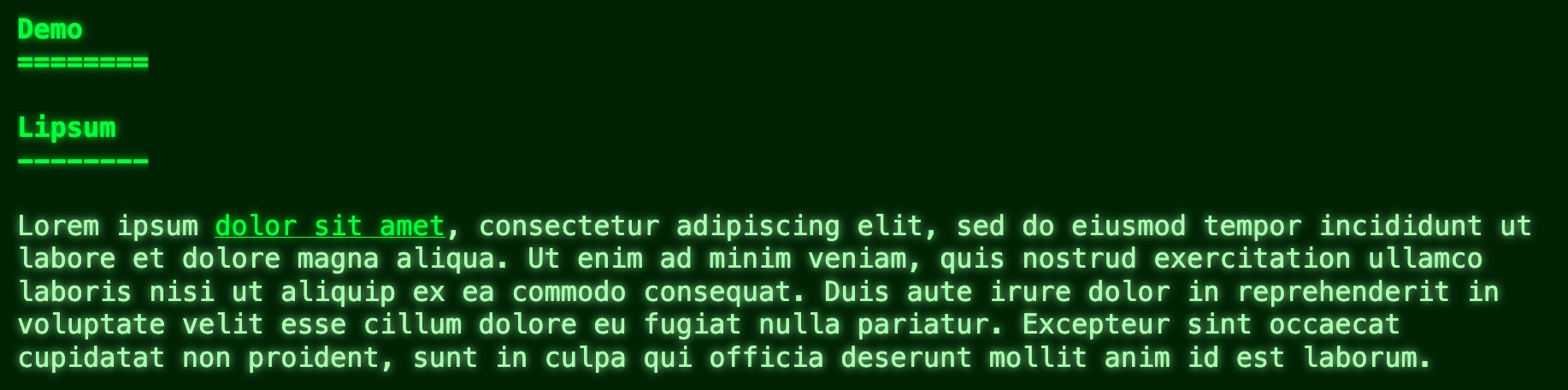
I did Markdown style bottom borders for the <h1>, <h2>, and <hr>. For the headings, I didn't want them too wide, so I made them width: fit-content, and gave them a min-width to ensure they weren't too short and not noticeable. As CSS, this looks like:
h1, h2, hr{
	border: 0;
	overflow: hidden;
	padding-bottom: 1.2em;
	position: relative;
}
h1:after, h2:after, hr:after{
	bottom: 0;
	left: 0;
	position: absolute;
	white-space: pre;
}
h1, h2{
	min-width: 4.8em;
	width: fit-content;
}
h1:after{
	content: "========================================================================================================================";
}
h2:after, hr:after{
	content: "------------------------------------------------------------------------------------------------------------------------";
}
An example of the <hr>:

An example of the headings:
For the left vertical borders, we want white-space: normal so that our characters do wrap at one column. I put a space between each character and gave the pseudos a width: 1em to force wrapping. We position them with a top and left of 0, and give them a height of 100% to ensure they don't exceed the container height. For proper alignment, I needed a padding-left of 1.2em. I'm not sure why it wasn't just 1em.
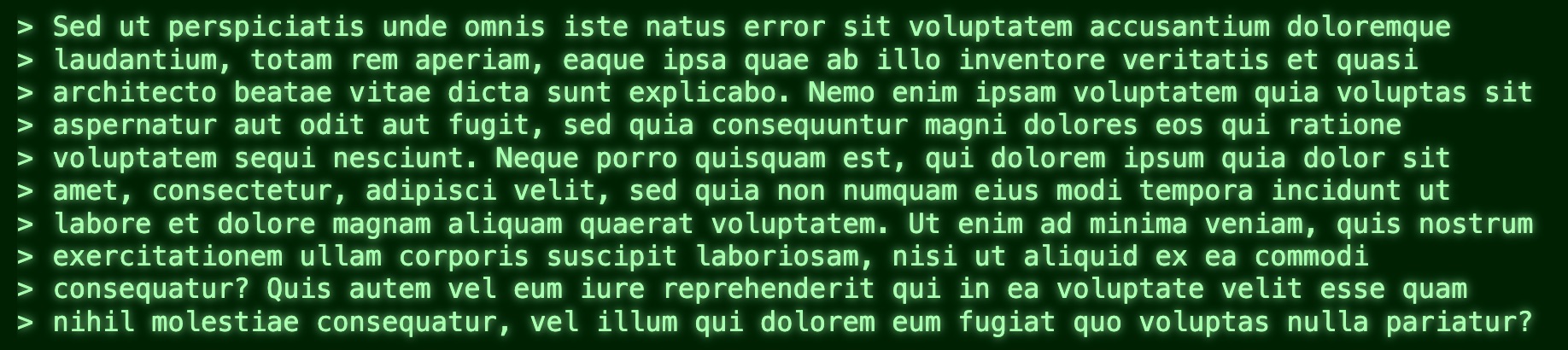
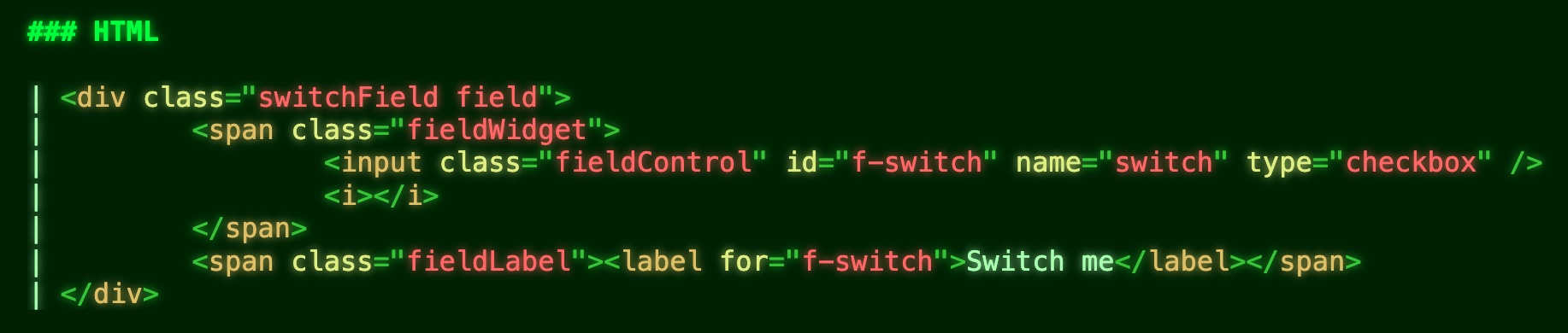
I did a Markdown like > border for <blockquote> and a simple | for <code> blocks. As CSS, this looks like:
blockquote, pre:has(code){
	padding-left: 1.2em;
	position: relative;
}
blockquote:before, pre:has(code):before{
	height: 100%;
	left: 0;
	position: absolute;
	overflow: hidden;
	top: 0;
	white-space: normal;
	width: 1em;
}
blockquote:before{
	content: "> > > > > > > > > > > > > > > > > > > > > > > > > > > > > > > > > > > > > > > > > > > > > > > > > > ";
}
pre:has(code){
	padding-left: 0.2em;
}
pre code{
	padding-left: 1em;
}
pre:has(code):before{
	content: "| | | | | | | | | | | | | | | | | | | | | | | | | | | | | | | | | | | | | | | | | | | | | | | | | | | | | | | | | | | | | | | | | | | | | | | | | | | | | | | | ";
}
An example of the <blockquote>:
An example of the <code> block:
As we can only add two pseudo-elements with content, :before and :after, we are limited to two borders per element. I didn't do <table> since I don't think I have those on my site, but would definitely do a Markdown look to them too. I think with all the <td> I'd be able to make it work with just the two pseudos. There may be other elements that would benefit from this technique as well. The theme is still fairly new and somewhat a work in progress.
One downside for the full-width horizontal borders with this technique is that the right end can end up with a partial character. I don't think it is that noticeable though when they are that wide. I haven't had this problem for the vertical borders, which would be much more noticeable.
In implementing this, I made a SASS function to repeat characters for me. It looks like:
@function repeat($char, $n){
	$str: '';
	@for $i from 1 through $n{
		$str: $str + $char;
	}
	@return $str;
}
Simplifies implementing this technique. I repeated the character 120 times for horizontal borders, because this theme has unlimited width. For <blockquote> I did 50 just in case, and went 80 for <code> since I have some pretty big code blocks. That may not even be enough for the latter, and I will bump it up if I come across examples needing it on my site.
It's been fun coming up with these themes and figuring out techniques for things I haven't done before.